AI Can Crack Your Password in Seconds—Here's What to Do About It

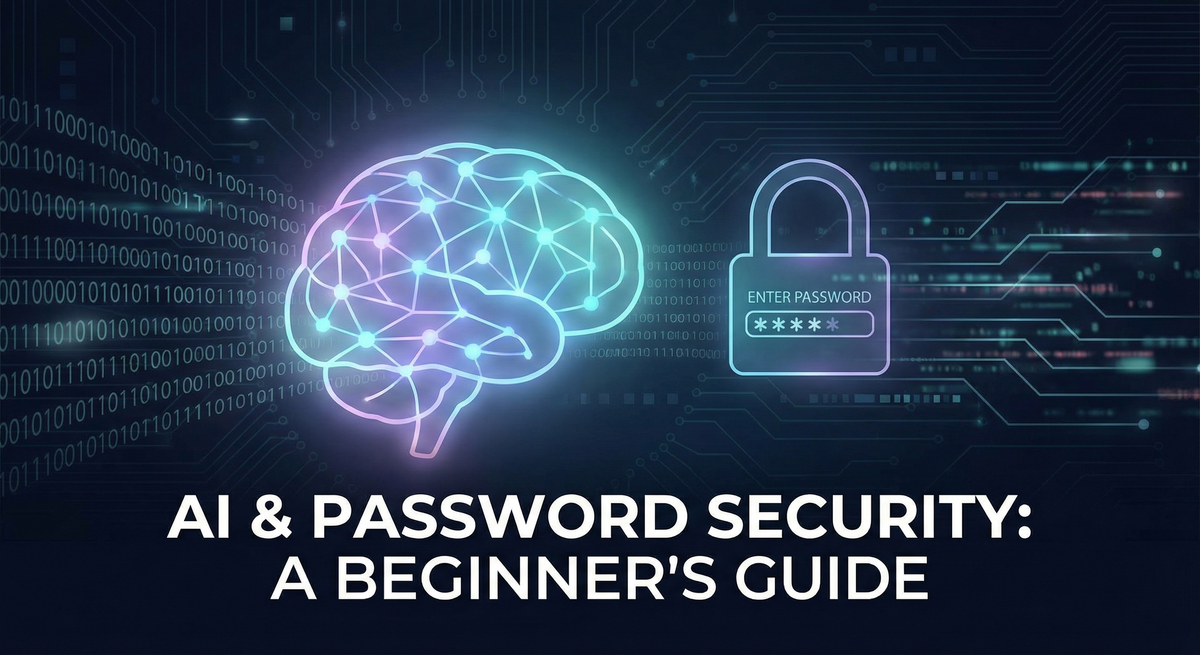
Your password might be weaker than you think—and artificial intelligence knows exactly why.
The Wake-Up Call You Didn't Know You Needed
Let me paint you a picture.
You're pretty proud of your password. You didn't use "password123" like some amateur. No, you went with something clever: Summer2024! or maybe Fluffy@123 (your cat's name, very original). You've got a capital letter, a number, AND a special character. That's secure, right?
Here's the uncomfortable truth: AI can probably crack that password faster than you can read this sentence.
I'm not trying to scare you. Okay, maybe a little—but only because understanding this threat is the first step to protecting yourself. The good news? Once you know how AI password cracking works, defending yourself is surprisingly simple.
Let's break it down in plain English.


What is AI Password Cracking? (The Non-Technical Version)
The Old Way: Dumb Guessing
Picture a very patient robot trying every possible combination of letters, numbers, and symbols. Starting with "a", then "aa", then "aaa"... all the way up to your password. This is called brute force cracking, and it's about as smart as it sounds—which is to say, not very.
This method works, but it's slow. For a truly random password, it could take longer than the age of the universe to crack.
The New Way: AI That Thinks Like You
Now imagine a different kind of robot—one that's studied billions of real passwords from every data breach in history. This robot has noticed patterns:
- 73% of people put numbers at the end of their password
- People love substituting "a" with "@" and "e" with "3"
- First names followed by birth years are incredibly common
- Sports teams, pets' names, and "password" variations appear constantly
- The word "love" shows up in millions of passwords
This is AI password cracking, and the most famous tool is called PassGAN (Password Generative Adversarial Network).
How PassGAN Actually Works (Simple Version)
Think of PassGAN like a student that learns by example:
- Training Phase: You feed it millions of real leaked passwords (from breaches like LinkedIn, Adobe, RockYou)
- Pattern Recognition: The AI notices how humans create passwords—not just what passwords ARE
- Generation Phase: Instead of trying random combinations, it generates likely passwords based on human behavior
Here's the scary part: PassGAN doesn't need anyone to teach it the rules. No one programs it to try "name + year + symbol." It figures that pattern out itself by analyzing what real people actually do.
The result? PassGAN can match 51-73% more passwords than traditional cracking tools when they work together. It's not replacing brute force—it's making it smart.
How Fast Can AI Crack Passwords? (The Numbers That Matter)
Let's look at some real numbers. This table shows approximately how long it takes to crack different types of passwords using modern tools and hardware:
| Password Type | Example | Traditional Cracking | AI-Assisted Cracking |
|---|---|---|---|
| 6 lowercase letters | monkey |
~2 seconds | Instant |
| 8 mixed case letters | Password |
~22 minutes | ~1 minute |
| 8 chars + number | Tiger123 |
~1 hour | ~5 minutes |
| 8 chars + symbol | Tiger@12 |
~8 hours | ~1 hour |
| 12-char phrase | correct-horse |
~34 years | ~2 years |
| 16-char random | K#9mPx$2Lq8nRt@v |
Quadrillions of years | Billions of years |
These times assume MD5 hashing (a common but weak algorithm). Better algorithms like bcrypt multiply these times by 10,000x or more.
What's Powering This Speed?
Modern graphics cards (GPUs)—the same ones gamers use for video games—are phenomenal at password cracking:
- Single NVIDIA RTX 4090: Can test ~300 billion password guesses per second
- Cluster of 8 RTX 4090s: ~2.4 trillion guesses per second
- Cloud GPU rental: Anyone can rent this power for $5-10 per hour
To put that in perspective: 2.4 trillion guesses per second means a cracking rig can test more passwords in one second than there are stars in our galaxy. Twice.
And you don't need to be a state-sponsored hacker to access this. Anyone with a credit card can rent cloud computing power capable of serious password cracking.
The Patterns AI Has Already Learned (Is Your Password Here?)
Here's what makes AI cracking so effective—it knows us better than we know ourselves. Let me show you some patterns that AI identifies almost instantly:
Pattern 1: The "Clever" Substitution
You think you're being smart:
P@ssw0rdinstead ofPasswordL33tH@ck3rinstead ofLeetHackerS3cur1ty!instead ofSecurity
AI's response: It learned this trick from the first 10 million passwords it analyzed. These substitutions are some of the FIRST things it tries.
Pattern 2: Name + Number Combo
Incredibly common:
Michael1985Jennifer2024!Fluffy123
AI's response: It cross-references common names (including international names—it knows Alessandro is popular in Italy, Dmitri in Russia) with likely number ranges (birth years, anniversaries, "123").
Pattern 3: The Keyboard Walk
Feels random, isn't random:
qwerty1231qaz2wsxzxcvbnm
AI's response: These patterns are in every password cracking dictionary ever made. They're usually cracked in under a second.
Pattern 4: The Season + Year Formula
Popular for "temporary" passwords that become permanent:
Summer2024!Winter2025@Fall2023#
AI's response: There are only 4 seasons and a narrow range of years people use. This is maybe 100 guesses total.
Pattern 5: Sports Teams and Fandoms
Your passion is predictable:
Lakers24!GoPackGo2024StarWars!1977
AI's response: These are in specialized dictionaries. Combined with common numbers and symbols, they fall quickly.
The Uncomfortable Truth About "Most Common Passwords"
According to NordPass's 2025 research, here are passwords that STILL dominate globally:
123456(Yes, still #1 for 6 of the last 7 years)12345678912345678passwordqwerty123
And here's the really surprising part: this isn't a generational problem. NordPass found that Gen Z, Millennials, Gen X, and Baby Boomers all use essentially the same weak passwords. Being a "digital native" doesn't make you better at passwords—we're all human, and we all take shortcuts.
Real Examples That Should Make You Think Twice
Example 1: How Leaked Databases Train the AI
Remember the RockYou breach from 2009? Hackers stole 32 million passwords stored in plain text (no encryption at all). That breach is now over 15 years old.
Here's the thing: that data is now used to train AI password crackers.
Every dumb password from 2009 teaches today's AI what humans are likely to do. And every new breach adds more training data. It's a snowball effect—the more breaches happen, the smarter AI crackers become.
Example 2: The LinkedIn Aftermath
In 2012, LinkedIn was breached. The passwords were "hashed" (encrypted), which should have protected them. But the company used a weak hashing algorithm called SHA-1.
By 2016, researchers had cracked 117 million passwords from that breach. Those passwords—your colleagues' passwords—became training data for tools like PassGAN.
Example 3: What Happens After Your Password Is Cracked
Let's say your email password gets cracked from an old breach. Here's the cascade:
- Credential Stuffing: Attackers automatically try that same email/password combo on hundreds of other sites
- Account Takeover: If you reused that password (most people do), they're now in your bank, social media, shopping accounts
- Password Reset Abuse: With access to your email, they can reset passwords on any other account
- Identity Theft: They now have enough information to impersonate you
This isn't theoretical. It happens millions of times per day, automated by bots that never sleep.
Example 4: The Targeted Attack
Here's a scarier scenario: someone specifically wants to hack you.
AI can:
- Analyze your previous leaked passwords (yes, they're out there)
- Study your social media for pet names, birthdays, favorite sports teams
- Generate personalized password guesses just for you
For high-value targets (executives, journalists, activists), this is a real threat. For everyday people, it's rare—but not impossible.
Are YOU at Risk? (A Quick Self-Assessment)
Let's figure out where you stand. Be honest—no one's watching.
🔴 HIGH RISK (Take Action Today)
You're at high risk if you:
- [ ] Reuse the same password across multiple sites
- [ ] Use pattern-based passwords (Name+Year+Symbol)
- [ ] Haven't enabled two-factor authentication on important accounts
- [ ] Haven't changed passwords after a known breach
- [ ] Use passwords shorter than 12 characters
🟡 MODERATE RISK (Should Improve Soon)
You're at moderate risk if you:
- [ ] Use unique passwords, but with memorable patterns
- [ ] Have two-factor authentication on some but not all accounts
- [ ] Use your browser's built-in password saving (without a proper manager)
- [ ] Occasionally reuse passwords for "unimportant" accounts
🟢 LOW RISK (Nice Work!)
You're doing well if you:
- [ ] Use a password manager with unique, random 16+ character passwords
- [ ] Have two-factor authentication enabled everywhere possible
- [ ] Have tried passkeys where available
- [ ] Regularly check if your accounts appear in data breaches
Quick Check: Go to Have I Been Pwned and enter your email address. It'll tell you if your data has been exposed in any known breaches. (Don't worry—this site is run by a security researcher and is completely safe.)
The Good News: Protecting Yourself Is Easier Than You Think
Here's the beautiful irony of AI password cracking: the defense is simple, but humans are bad at it without help.
That's where tools come in. Let me walk you through a three-step defense that makes you virtually immune to password cracking.
Step 1: Get a Password Manager (This Is Non-Negotiable)
A password manager is like a secure vault that:
- Generates truly random passwords (like
K#9mPx$2Lq8nRt@v) - Stores them securely with strong encryption
- Auto-fills them when you need to log in
- Syncs across all your devices
You only need to remember ONE password—your master password for the vault. The manager handles everything else.
Why This Defeats AI Cracking
Remember how AI learns from human patterns? A password manager generates passwords with no human patterns at all. It's pure randomness.
A password like X7#kP@9mLqR$2vNz has:
- No dictionary words
- No predictable substitutions
- No keyboard patterns
- No connection to your personal life
AI has nothing to learn from, nothing to predict. The only option left is pure brute force—and for a 16+ character random password, that would take longer than the sun has left to burn.
Which Password Manager Should You Use?
Here are the most trusted options:
Bitwarden (Free tier available, open source)
- Great for beginners
- Free version has everything most people need
- Paid version: $10/year
- bitwarden.com
1Password (Premium option)
- Excellent user experience
- Great family and team features
- $36/year for individuals
- 1password.com
Dashlane (Premium with extras)
- Includes VPN and dark web monitoring
- Very polished interface
- $60/year for premium
- dashlane.com
Apple Keychain / Google Password Manager (Built-in options)
- If you're all-in on one ecosystem, these work fine
- Free and integrated
- Less portable across different devices/browsers
Getting Started (15-Minute Setup)
- Choose a manager and create an account
- Create a strong master password (this is the ONE password you'll memorize—make it a passphrase like
correct-horse-battery-staple-coffee) - Install the browser extension and mobile app
- Import existing passwords from your browser
- Start changing your most important passwords (email, banking, social media) to randomly generated ones
That's it. From now on, when you create new accounts, the manager generates and saves secure passwords automatically.
Step 2: Enable Multi-Factor Authentication (MFA) Everywhere
Even the strongest password can be stolen (phishing, database breaches, malware). That's why you need a second layer of defense.
Multi-factor authentication (also called 2FA or MFA) requires TWO things to log in:
- Something you know (your password)
- Something you have (your phone, a security key)
This means even if an attacker cracks your password, they still can't get in without that second factor.
Types of MFA (From Strongest to Weakest)
🥇 Hardware Security Keys (Best)
- Physical USB devices like YubiKey
- Virtually impossible to phish or intercept
- ~$25-50 for a basic key
- yubico.com
🥈 Authenticator Apps (Very Good)
- Google Authenticator, Microsoft Authenticator, Authy
- Generate codes that change every 30 seconds
- Free and works offline
- Much better than SMS
🥉 SMS Text Codes (Better Than Nothing)
- Codes sent to your phone number
- Vulnerable to SIM-swapping attacks
- Can be intercepted
- Still stops 99% of automated attacks
Priority Order for Enabling MFA:
- Email (this is the master key to everything else)
- Financial accounts (banks, investment, crypto)
- Social media
- Shopping sites with saved payment info
- Everything else that offers it
How to Enable MFA (General Steps)
Most sites: Settings → Security → Two-Factor Authentication
Look for options like:
- "Authenticator app"
- "Security key"
- "Two-step verification"
The setup usually involves scanning a QR code with your authenticator app. Takes about 2 minutes per account.
Step 3: Try Passkeys (The Password Killer)
Here's where things get exciting. Passkeys are a new technology designed to replace passwords entirely—and they're finally going mainstream.
What Is a Passkey?
Instead of typing a password, you authenticate using:
- Your fingerprint
- Your face
- Your device's PIN/pattern
Behind the scenes, passkeys use cryptographic magic (public-key cryptography) that's essentially uncrackable. But from your perspective, it's just "tap your finger to log in."
Why AI Can't Crack Passkeys
With traditional passwords:
- A "secret" (your password) is shared with the website
- That secret can be stolen, leaked, or cracked
- AI can learn patterns to guess secrets
With passkeys:
- Nothing secret is ever shared with the website
- Your device proves your identity using cryptography
- There's no password to crack—it doesn't exist
As the FIDO Alliance puts it: "With passkeys, there are no passwords to steal and no sign-in data that can be used to perpetuate attacks."
Who Supports Passkeys Now?
Major sites with passkey support in 2026:
- Apple
- Microsoft
- Amazon
- PayPal
- GitHub
- Best Buy
- eBay
- Many more being added monthly
53% of users have enabled a passkey on at least one account, according to the FIDO Alliance. This is becoming mainstream fast.
How to Set Up a Passkey
On most sites: Settings → Security → Passkeys → Create Passkey
Your device will prompt you for biometric authentication (fingerprint/face) or PIN. That's it—you've created a passkey.
Next time you log in, you'll just tap your finger instead of typing a password.
Should You Go Passkey-Only?
Not quite yet. While passkeys are the future, we're in a transition period. My recommendation:
- Enable passkeys where available (especially Google, Apple, Microsoft)
- Keep your password manager as a backup
- Keep MFA enabled as a secondary layer
Think of it as belt AND suspenders. As passkey support grows, you can gradually phase out passwords.
Your 10-Minute Action Plan
Feeling overwhelmed? Here's exactly what to do, in order of priority:
Today (10 minutes)
- ✅ Check Have I Been Pwned to see if your data has been leaked
- ✅ Download a password manager (Bitwarden is free and great)
- ✅ Change your EMAIL password to something random and long (20+ characters)
- ✅ Enable MFA on your email account
This Week (30 minutes total)
- ✅ Change passwords on your top 5 most important accounts
- ✅ Enable MFA on financial accounts
- ✅ Enable MFA on social media
This Month (1 hour total)
- ✅ Audit all your accounts and update weak passwords
- ✅ Try setting up a passkey on Google or Apple
- ✅ Tell one friend or family member what you learned
The Future: Are Passwords Finally Dying?
We've been hearing "passwords are dead" for decades, and they're still here. But this time feels different.
What's Changed
The Technology Is Ready
- Passkeys work seamlessly across devices
- Major platforms (Apple, Google, Microsoft) all support them
- The user experience is finally better than passwords
The Industry Is United
- The FIDO Alliance includes 300+ companies
- Everyone agrees passwords need to go
- Standards are in place; it's now about adoption
The Incentives Align
- Companies are tired of password breach liability
- Users are tired of remembering passwords
- Criminals are too good at cracking passwords
My Prediction
Within 5 years:
- Passkeys will be the default on most major sites
- Passwords will be a "legacy" backup option
- Password cracking will become much less effective (fewer passwords to crack)
Within 10 years:
- Most people will rarely type a password
- "Password123" will be a funny historical reference
- We'll wonder why we put up with passwords for so long
But Until Then...
We live in the present, and passwords aren't gone yet. The AI password crackers are getting smarter every day, trained on every new breach that happens.
Your job is to make yourself a hard target. Not a perfect target—just hard enough that attackers move on to easier prey.
And now you know exactly how to do that:
- Password manager with unique, random passwords
- MFA on everything important
- Passkeys where available
These three steps put you ahead of 95% of internet users. AI can't crack what it can't predict.
Quick Reference: Key Terms Explained
Brute Force Attack: Trying every possible password combination until one works. Slow but thorough.
Hash/Hashing: A mathematical process that converts passwords into scrambled text for storage. Good sites store hashes, not plain passwords.
Credential Stuffing: Automated attacks that try leaked username/password combinations across many websites.
PassGAN: An AI system that learns password patterns from real data breaches to generate likely password guesses.
FIDO/FIDO2: The standards behind passkeys. Stands for Fast Identity Online.
Passkey: A cryptographic credential that replaces passwords. Uses your device's biometrics or PIN.
MFA/2FA: Multi-factor authentication / Two-factor authentication. Requiring more than just a password to log in.
Further Reading
- Have I Been Pwned: haveibeenpwned.com - Check if your accounts have been compromised
- FIDO Alliance Passkeys: fidoalliance.org/passkeys - Learn more about the passwordless future
- NIST Password Guidelines: pages.nist.gov - Official government recommendations
- NordPass Research: nordpass.com - See the most common (and worst) passwords
Final Thoughts
AI password cracking isn't science fiction—it's happening right now, at scale, with tools anyone can access. The passwords we thought were "clever" are exactly what AI has learned to predict.
But here's the thing: you're not helpless. The defenses exist, they're accessible, and they work.
A password manager takes 15 minutes to set up and protects you for years. MFA takes 2 minutes per account. Passkeys take 30 seconds.
That's maybe an hour of work to become virtually immune to password attacks. Worth it? I think so.
The hackers have AI on their side. Now you have knowledge on yours.
Stay safe out there. 🔐
Have questions? Found this helpful? Want to share your own password horror stories? Drop a comment below or reach out on social media. And please—share this with someone who's still using "password123". They need it.
Tags: #passwords #AI #cybersecurity #passkeys #MFA #passwordmanager #hacking #security101 #dataprivacy #beginnerguide