Infostealers: The Silent Engine Powering Every Cyberattack in 2026

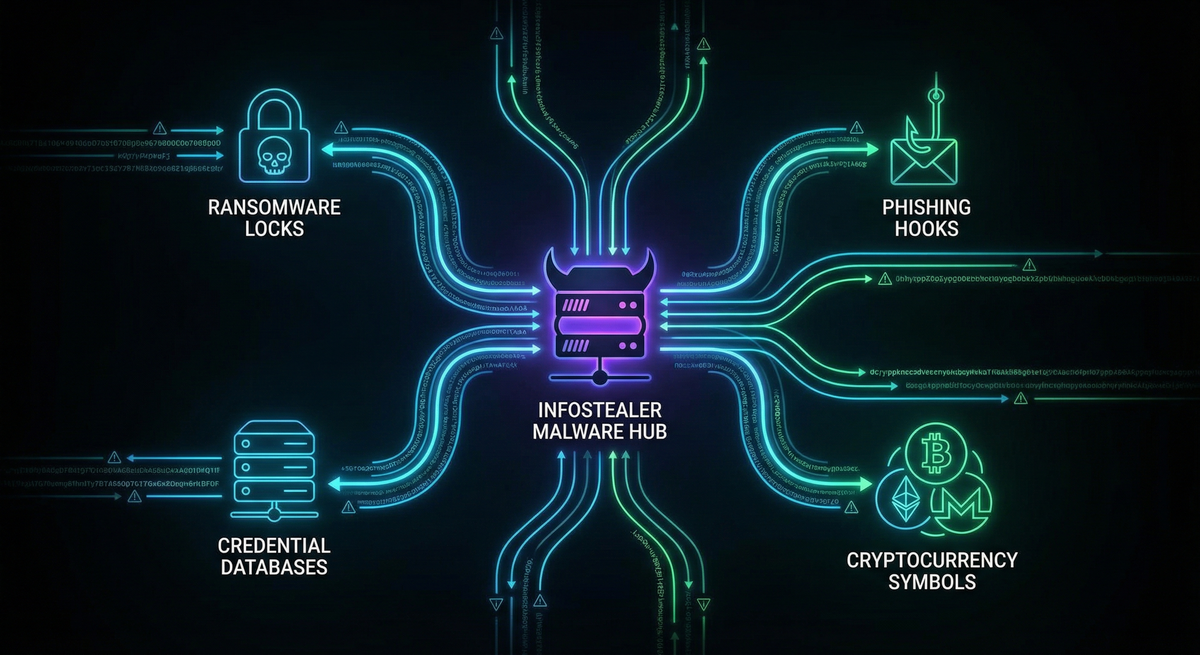
How a $250 piece of malware became cybercrime's most valuable infrastructure
The Moment Everything Changed
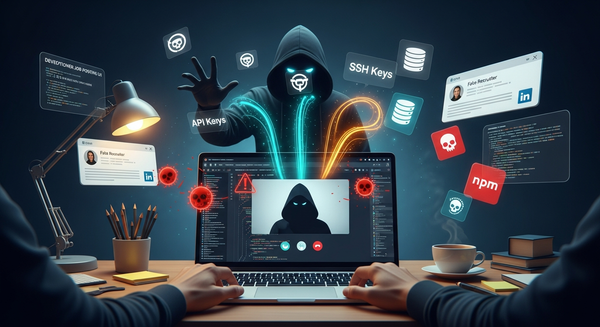
You're scrolling through YouTube, looking for a tutorial on video editing software. You find a promising video with thousands of views, a professional thumbnail, and a link in the description to download the "cracked" version of the software you need. Free is always good, right?
 Breached Company
Three days later, your bank account is drained. Your cryptocurrency is gone. And somewhere in Russia, your employer's network is being ransomed for $2 million—all because your work VPN credentials were saved in Chrome.
Welcome to 2026, where a single moment of weakness has become the fuel for an entire criminal economy. And at the center of it all sits a category of malware you've probably never heard of: infostealers.
SecurityWeek's landmark Cyber Insights 2026 report put it bluntly: "The defining shift in malware heading into 2026 is the consolidation of the entire attack chain around infostealers."
This isn't hyperbole. It's the new reality of cybercrime—and understanding it might be the most important thing you do for your digital security this year.
What Are Infostealers, Really?
Let's strip away the technical jargon. An infostealer is exactly what it sounds like: malware designed to steal your information. But calling it that is like calling a smartphone "a device that makes calls." It's technically true but misses the revolutionary impact.
Modern infostealers are sophisticated data-harvesting machines that operate in complete silence. Unlike ransomware that announces itself with dramatic lock screens, or viruses that crash your computer, infostealers are ghosts. They slip in, vacuum up everything valuable, and disappear—often before your security software even knows they were there.
What They Steal
In the 30-60 seconds an infostealer is active on your machine, it collects:
From Your Browsers:
- Every password saved in Chrome, Firefox, Edge, Opera
- All your cookies (including those "remember me" login sessions)
- Autofill data: your name, address, phone number, credit cards
- Your browsing history and bookmarks
- Saved form data
From Your Applications:
- Email client credentials
- Discord and Telegram session tokens
- VPN and remote desktop passwords
- FTP client saved connections
- Password manager databases (if they can access them)
From Your Computer:
- Screenshots of your desktop
- System information (hardware, IP address, location)
- Lists of installed software
- Cryptocurrency wallet files and private keys
The Crown Jewels:
- Two-factor authentication (2FA) backup codes
- Authenticator app data
- Session tokens that bypass MFA entirely
All of this gets packaged into what criminals call a "stealer log"—a neat ZIP file containing your entire digital identity. And here's the terrifying part: these logs are sold on underground markets for as little as $1 to $100 each.
Your entire digital life. Potentially worth less than a fancy coffee.
The Numbers That Should Keep You Awake
Let's talk scale, because the statistics from 2025 are genuinely alarming:
The Credential Explosion
- 1.8 billion credentials were stolen by infostealers in the first half of 2025 alone
- This represents an 800% increase from the previous six months
- 5.8 million devices were infected and harvested
- ESET recorded a 369% increase in Lumma Stealer detections between H1 and H2 2024
 Breached Company
The Market Reality
- Over 21,000 market listings were selling LummaC2 stealer logs in just three months (April-June 2024)
- That's a 71.7% increase year-over-year
- The average price for corporate network access? Just $2,700
- 183 million Gmail credentials flooded underground markets in October 2025, selling for $10 per account
The Ransomware Connection
Here's the statistic that connects all the dots: According to Verizon's Data Breach Investigations Report, 54% of ransomware victims had their company domains appear in infostealer credential dumps before the attack.
Let that sink in. More than half of companies hit by ransomware had already been compromised by infostealers. The ransomware was just the final chapter of a story that started with someone clicking the wrong link.
Meet the Malware: The Top Infostealer Families
The infostealer market operates like any legitimate software industry—with competition, innovation, customer service, and market leaders. Let's meet the major players.
Lumma Stealer: The Reigning Champion
Lumma Stealer (also called LummaC2) is the undisputed king of the infostealer world in 2026. First appearing in 2022, it now dominates the market with approximately 51% of all stealer logs sold on Russian-speaking dark web forums.
The Business Model:
Lumma operates as Malware-as-a-Service (MaaS), meaning anyone can rent it:
- Basic tier: $250/month
- Standard tier: $500/month
- Premium tier: $1,000/month
- Source code access: $20,000 (one-time)
For the price of a decent laptop, aspiring criminals get:
- A customizable malware builder
- An admin panel to manage infected machines
- Automated log collection and parsing
- Customer support (yes, really)
- Regular updates to evade antivirus detection
Why It's Dangerous:
Lumma doesn't just steal data—it's designed to bypass modern security:
- Uses encrypted communications to hide from network monitoring
- Employs "domain generation algorithms" (DGAs) that create new command servers constantly
- Can defeat some two-factor authentication by stealing session cookies
- Has been observed deploying additional malware, including ransomware
The Takedown That Wasn't:
In May 2025, Microsoft and Cloudflare led a massive operation that seized 2,300 Lumma domains. The celebration was short-lived. Within weeks, Lumma was back, its operators having rebuilt infrastructure and resumed operations. By July 2025, detection numbers had returned to pre-takedown levels.
Ransomware groups known to use Lumma include:
- Octo Tempest (notorious for social engineering)
- Storm-1607
- Storm-1113
- Storm-1674
RedLine Stealer: The Fallen Giant
RedLine dominated from 2020-2023, at one point responsible for 51% of all infostealer infections. Though disrupted by law enforcement, its logs continue circulating in underground markets, and its legacy lives on in countless stolen credentials still being exploited.
RedLine pioneered many techniques that modern stealers now consider standard:
- Comprehensive browser harvesting
- Cryptocurrency wallet detection
- System fingerprinting
- Telegram-based exfiltration
Raccoon Stealer: The Survivor
Raccoon has survived multiple law enforcement operations, including the arrest of its operators. Its distributed infrastructure and loyal user base have kept it relevant even as newer competitors emerged.
Key features that kept Raccoon competitive:
- Lightweight payload (harder to detect)
- Extensive crypto wallet support
- Aggressive pricing ($75/week or $200/month)
- Active Telegram community for support
Vidar Stealer: The Silent Killer
Vidar accounted for 17% of infostealer incidents in late 2024 and stole an estimated 65 million passwords in just six months. Its claim to fame is speed—Vidar executes, exfiltrates, and self-destructs so quickly that many security tools never catch it.
The New Challengers (2025-2026)
Acreed Stealer: Launched in early 2025 with a modular design allowing operators to customize exactly what data they want to steal. Priced at $200/month, it specifically targets enterprise environments.
StealC V2: Version 2.2.4, released November 2025, achieves a 66% success rate at bypassing EDR (Endpoint Detection and Response) solutions—the very tools companies buy to prevent exactly this kind of threat.
Nexus Stealer: The most sophisticated newcomer, featuring machine learning algorithms that automatically prioritize which credentials are most valuable. It specifically targets password manager databases and 2FA backup codes.
 Breached Company
The Attack Chain: From Your Browser to Ransomware
Here's where it gets really interesting—and really scary. Infostealers aren't just about stealing your Netflix password. They've become the foundation of the entire cybercrime economy.
The Credential-to-Ransomware Pipeline
Let's trace how a single infection on a home computer can lead to a multimillion-dollar ransomware attack:
Day 1: Infection
Sarah, an accountant, downloads what she thinks is a free PDF converter from a link she found on a forum. The installer looks legitimate, even functions as advertised. But hidden inside is Lumma Stealer.
In less than a minute, Lumma:
- Extracts 47 saved passwords from Chrome
- Grabs all browser cookies (including active sessions)
- Captures her VPN credentials for work
- Screenshots her desktop
- Packages everything and sends it to a server in Moldova
Sarah never notices anything wrong.
Day 2-3: Log Processing
The attacker who infected Sarah doesn't want to use the credentials themselves—that's too much work. Instead, they upload her stealer log to an automated marketplace.
The marketplace software scans the log and categorizes the contents:
- Personal accounts: Netflix, Gmail, Amazon (low value)
- Financial: Bank credentials, crypto wallet (medium value)
- Corporate: VPN access to Acme Corporation (HIGH VALUE)
Day 4: The Access Broker
An "Initial Access Broker" (IAB) purchases Sarah's log for $35. These specialists do nothing but find and verify corporate network access, then resell it at markup.
The IAB tests Sarah's VPN credentials—they work. They verify Acme Corporation has 500+ employees and handles sensitive data. They list the access for sale: $8,500.
Day 7: Ransomware Affiliate
A ransomware affiliate—someone who deploys ransomware for a cut of the profits—purchases the access. They connect to Acme's network using Sarah's credentials at 2 AM on Saturday.
Day 7-10: Internal Reconnaissance
Using Sarah's access as a foothold, the attackers:
- Move laterally through the network
- Escalate privileges to administrator
- Identify critical servers and backup systems
- Exfiltrate sensitive data for double-extortion
Day 11: Detonation
At 3 AM Sunday morning, the ransomware executes. By the time anyone arrives Monday, 400 systems are encrypted. The demand: $2.3 million in Bitcoin.
The Final Tally:
- Acme Corporation pays $1.8 million (after negotiation)
- The ransomware gang keeps 70%: $1.26 million
- The affiliate keeps 30%: $540,000
- The access broker made $8,500
- The original infostealer operator made $35
Total time from Sarah's infection to ransom payment: 17 days.
The Feedback Loop: How Victims Become Attack Infrastructure
Here's something that recently emerged in threat intelligence that's genuinely chilling: infostealers have created a self-sustaining attack ecosystem.
The ClickFix Discovery
Security researchers at Hudson Rock analyzed over 1,600 domains hosting a social engineering attack called "ClickFix." This technique shows victims fake error messages or CAPTCHA prompts, then tricks them into running malicious commands.
When they cross-referenced these malicious domains with known infostealer credential leaks, they found something disturbing: 220 domains (13%) were simultaneously:
- Hosting ClickFix attacks distributing infostealers
- Had their own admin credentials exposed in infostealer logs
The implication is staggering: legitimate businesses infected by infostealers are having their websites hijacked to spread the very malware that infected them.
How the Loop Works
- Initial Infection: A small business employee downloads infected software
- Credential Theft: Infostealer grabs WordPress/cPanel admin credentials
- Website Compromise: Attackers use stolen credentials to inject malicious code
- New Infections: Visitors to the legitimate business website get infected
- Repeat: Those new victims' credentials enable more website hijackings
This creates what researchers call a "cybercrime feedback loop"—the attack infrastructure grows itself.
The implications for defenders are profound: you can't just block "known malicious domains" anymore, because the malware might be hosted on the website of a local bakery or accounting firm.
The MFA Illusion: Why Your Second Factor Isn't Saving You
For years, security professionals have preached multi-factor authentication as the solution to credential theft. "Even if they get your password, they can't get in without your phone!"
Infostealers have made this advice dangerously outdated.
Session Cookie Theft
Here's what actually happens when you log into Gmail with MFA enabled:
- You enter your username and password
- You complete your second factor (code from phone, security key, etc.)
- Gmail creates a session cookie that says "this user is authenticated"
- For the next few weeks, that cookie lets you access Gmail without re-authenticating
Infostealers don't need to beat your MFA. They steal the cookie created after you've already authenticated.
An attacker who gets your Gmail session cookie can:
- Access your account from their own computer
- Read all your emails
- Send emails as you
- Access any connected services
- Never trigger a new MFA challenge
Real-World Impact
The October 2025 Gmail credential leak of 183 million accounts wasn't about passwords—it was about session cookies. The attackers weren't breaking into Google. They were using legitimate authentication tokens stolen from infected computers.
 Breached Company
Token Theft Attacks
Security firm FRSecure reported in late 2025 that "token theft attacks" are now among the most common techniques they see in incident response:
"Based on observations from our 2024 incident response cases, MFA bypass via token theft attacks are gaining steam. Organizations assume MFA will protect them, which creates a false sense of security."
Microsoft's 2025 Digital Defense Report confirms that 80% of initial access vectors used by access brokers begin with credential-based compromise—and session tokens make traditional MFA irrelevant.
What Actually Works
Phishing-Resistant MFA:
- FIDO2 security keys (YubiKey, Google Titan)
- Passkeys (cryptographically bound to specific devices)
- These can't be stolen by infostealers because there's no cookie or token to capture
Session Binding:
- Some services can tie session tokens to specific devices
- If the token is used from a different device, it's rejected
- Still not widely implemented
Continuous Authentication:
- Zero Trust architectures that re-verify identity throughout sessions
- Behavioral analysis that detects anomalies in user activity
- Immediate session invalidation when risk is detected
How You Get Infected: The Delivery Playbook
Understanding how infostealers reach victims is the first step in avoiding them. The delivery methods have become disturbingly sophisticated.
1. The ClickFix Technique
You visit a website (sometimes compromised, sometimes purpose-built) and see what looks like a security verification:
┌─────────────────────────────────────────┐
│                                         │
│         Verify you are human            │
│                                         │
│        ┌─────────────────────┐          │
│        │  I'm not a robot    │          │
│        └─────────────────────┘          │
│                                         │
└─────────────────────────────────────────┘
When you click, it shows you "verification steps":
- Press Windows+R
- Press Ctrl+V
- Press Enter
What's actually happening: malicious JavaScript copied a PowerShell command to your clipboard. When you paste and run it, you're executing the infostealer.
This technique has seen a 700% surge in 2025 because it works. Users trust CAPTCHA prompts. They don't question them.
2. Fake Software and Cracks
Search for "Photoshop free download" or "Vegas Pro crack" and you'll find countless links. Many lead to infostealers.
Common disguises:
- Video editing software
- Game cheats and mods
- Productivity tools
- "Cracked" premium software
- Browser extensions for "free movies"
A notable 2025 campaign distributed Lumma Stealer through:
- YouTube videos about game modifications
- GitHub repositories claiming to offer automation tools
- Telegram channels sharing "free software"
3. Malvertising
Attackers purchase legitimate advertising space on Google, Bing, and social media platforms. Their ads appear for searches like:
- "Download Notepad++"
- "Chrome update"
- "VPN download"
The ads link to pixel-perfect clones of legitimate websites. Everything looks right—except the download contains an infostealer.
4. Phishing Emails
Classic but evolved. Modern infostealer phishing uses:
- Fake hotel booking confirmations
- Fake invoice attachments
- Fake shipping notifications
- Fake software update alerts
- Fake security warnings
One 2025 campaign even impersonated CrowdStrike (a security company), distributing Lumma through fake "Falcon Update" installers. If security professionals can be fooled, anyone can be.
5. Supply Chain Compromise
The Snowflake incident demonstrated the power of supply chain attacks:
- Six different infostealer strains compromised developer machines
- Stolen credentials provided access to 165 customer environments
- The attack bypassed traditional security by exploiting trusted vendor relationships
Protecting Yourself: A Practical Defense Guide
Let's get practical. Here's how to actually defend against infostealers in 2026.
For Individuals
Browser Security
Stop Saving Passwords in Browsers
- Chrome, Firefox, Edge—they all store passwords in ways infostealers can access
- Use a dedicated password manager (1Password, Bitwarden, Dashlane)
- Even better: use passkeys where available
Cookie Hygiene
- Regularly clear cookies, especially for sensitive sites
- Don't use "remember me" for financial or work accounts
- Consider browser extensions that auto-clear cookies on close
Extension Audit
- Review your installed extensions monthly
- Remove anything you don't actively use
- Only install from official browser stores
System Security
Keep Everything Updated
- Operating system, browser, applications
- Enable automatic updates wherever possible
- This closes vulnerabilities infostealers exploit
Use Antivirus/EDR
- Windows Defender is actually quite good now
- Consider paid options like Malwarebytes for additional protection
- Enable real-time scanning
Be Extremely Skeptical
- Never download "cracked" software
- Be suspicious of any "verification" that asks you to run commands
- If a deal seems too good to be true, it probably contains malware
Credential Monitoring
Check If You're Compromised
- https://haveibeenpwned.com - Check if your email appears in known breaches
- Many password managers include breach monitoring
- Your employer may offer dark web monitoring services
For Organizations
Technical Controls
Endpoint Detection and Response (EDR)
- Deploy solutions that use behavioral analysis, not just signatures
- Monitor for credential access patterns
- Look for suspicious processes accessing browser data stores
Application Allowlisting
- Only permit approved applications to run
- Block PowerShell for standard users where possible
- Use Windows Defender Application Control or similar
Network Monitoring
- Detect unusual data exfiltration patterns
- Block newly registered domains (common for C2 servers)
- Monitor for Telegram API communications (used for log exfiltration)
Zero Trust Architecture
- Never trust, always verify
- Continuous authentication throughout sessions
- Device-bound credentials where possible
Process Controls
Credential Monitoring
- Actively monitor dark web for employee credentials
- Subscribe to stealer log monitoring services
- Immediate password reset when exposure detected
Rapid Response
- Current average detection time is 4 days—far too slow
- Target sub-24-hour detection and response
- Automated session invalidation when compromise detected
Segmentation
- If an infostealer grabs VPN credentials, limit what that access provides
- Micro-segmentation for sensitive resources
- Separate personal and work devices where possible
Human Controls
Security Awareness Training
- Teach recognition of ClickFix and similar social engineering
- Explain why "free software" is dangerous
- Regular phishing simulations
Clear Policies
- No personal software on work devices
- No work credentials on personal devices
- Mandatory password manager usage
What the Experts Recommend
The FBI and CISA released Joint Cybersecurity Advisory AA25-141b specifically about Lumma Stealer. Their key recommendations:
- Separate user and privileged accounts - Limit what any single compromised credential can access
- Monitor for suspicious behavior - Don't rely on signatures; watch for anomalous activities
- Implement application controls - Block unauthorized software execution
- Deploy phishing-resistant MFA - Passkeys and FIDO2 keys, not SMS codes
- Regular log collection and review - You can't detect what you don't monitor
- Network segmentation - Limit lateral movement when initial access is compromised
- Keep systems updated - Patches close the vulnerabilities infostealers exploit
The Future: Where This Is Headed
If 2025-2026 was the consolidation of attack chains around infostealers, what's next?
AI-Enhanced Targeting
Emerging infostealers like Nexus already use machine learning to prioritize which credentials are most valuable. Expect this to accelerate:
- Automatic identification of high-value accounts
- Real-time pricing of stolen credentials
- Targeted attacks based on log analysis
Mobile Expansion
While current infostealers primarily target Windows, mobile variants are emerging:
- Android-focused stealers growing in sophistication
- iOS becoming a target as security researchers find new vulnerabilities
- Cross-platform campaigns hitting both endpoints
Deeper Integration with AI
The SecurityWeek Cyber Insights 2026 report highlights AI as a force multiplier:
- AI-generated phishing that's increasingly indistinguishable from legitimate communication
- Automated credential stuffing and account takeover at scale
- AI-assisted evasion of security tools
The Session Token Arms Race
As defenders implement session binding and continuous authentication, attackers will adapt:
- Real-time token relay attacks
- Session token prediction
- Attacks on authentication infrastructure itself
The Bottom Line
Infostealers have fundamentally changed cybersecurity. They're no longer just a nuisance for individuals—they're the central infrastructure of modern cybercrime.
The attack that hits your employer, the ransomware that takes down a hospital, the fraud that drains someone's retirement account—there's a very good chance it all started with an infostealer running undetected on someone's computer.
The numbers tell the story:
- 1.8 billion credentials stolen in six months
- 54% of ransomware victims first appeared in stealer logs
- 66% of modern infostealers bypass endpoint detection
- $250/month for access to enterprise-grade credential harvesting
The solution requires layers:
- Technical controls that assume compromise will happen
- Process controls that detect compromise quickly
- Human controls that reduce the attack surface
- Architecture that limits damage when defenses fail
We're past the point where "don't click suspicious links" is sufficient advice. In 2026, everyone is a target, every credential is valuable, and the attack infrastructure is self-sustaining.
The question isn't whether infostealers will impact you or your organization. The question is whether you'll detect it in time to prevent what comes next.
Quick Reference: Indicators of Compromise
Signs You Might Be Infected
- Unusual outgoing network traffic, especially at odd hours
- Browser extensions you don't remember installing
- PowerShell or command prompt windows that flash briefly
- Antivirus temporarily disabled without your action
- Unusual account access alerts from email or social media
Immediate Steps If Compromised
- Isolate the affected device - Disconnect from network
- Change passwords - Start with email, banking, and work accounts
- Revoke active sessions - Force logout from all devices in major services
- Enable alerts - Turn on login notifications everywhere
- Report to IT - If work credentials were stored, this is an organizational incident
- Monitor accounts - Watch for unauthorized access in the following weeks
Resources
- CISA Advisory AA25-141b: Technical details on Lumma Stealer
- Have I Been Pwned: Check for credential exposure
- StealerLogs.io: Monitor for organization exposure in stealer logs
- MITRE ATT&CK: Understanding infostealer techniques
Stay safe out there. The threats are real, but so are the defenses—if you implement them before it's too late.
About the Author
This article is part of hackernoob.tips' ongoing coverage of emerging cyber threats. We translate complex security research into actionable intelligence for everyone—from individual users to enterprise security teams.
Share this article to help others understand the infostealer threat. The more people who understand how these attacks work, the harder they become to execute.
Sources: SecurityWeek Cyber Insights 2026, Microsoft Security Blog, CISA/FBI Joint Advisory AA25-141b, ESET Threat Report H2 2024, Flashpoint Defender's Guide, Vectra AI Research, Verizon DBIR 2025, Mandiant M-Trends 2025, Hudson Rock Threat Intelligence, IBM X-Force Threat Intelligence Index