When the Job Interview Hacks You: Next.js Developers Targeted with Secret-Stealing Malware

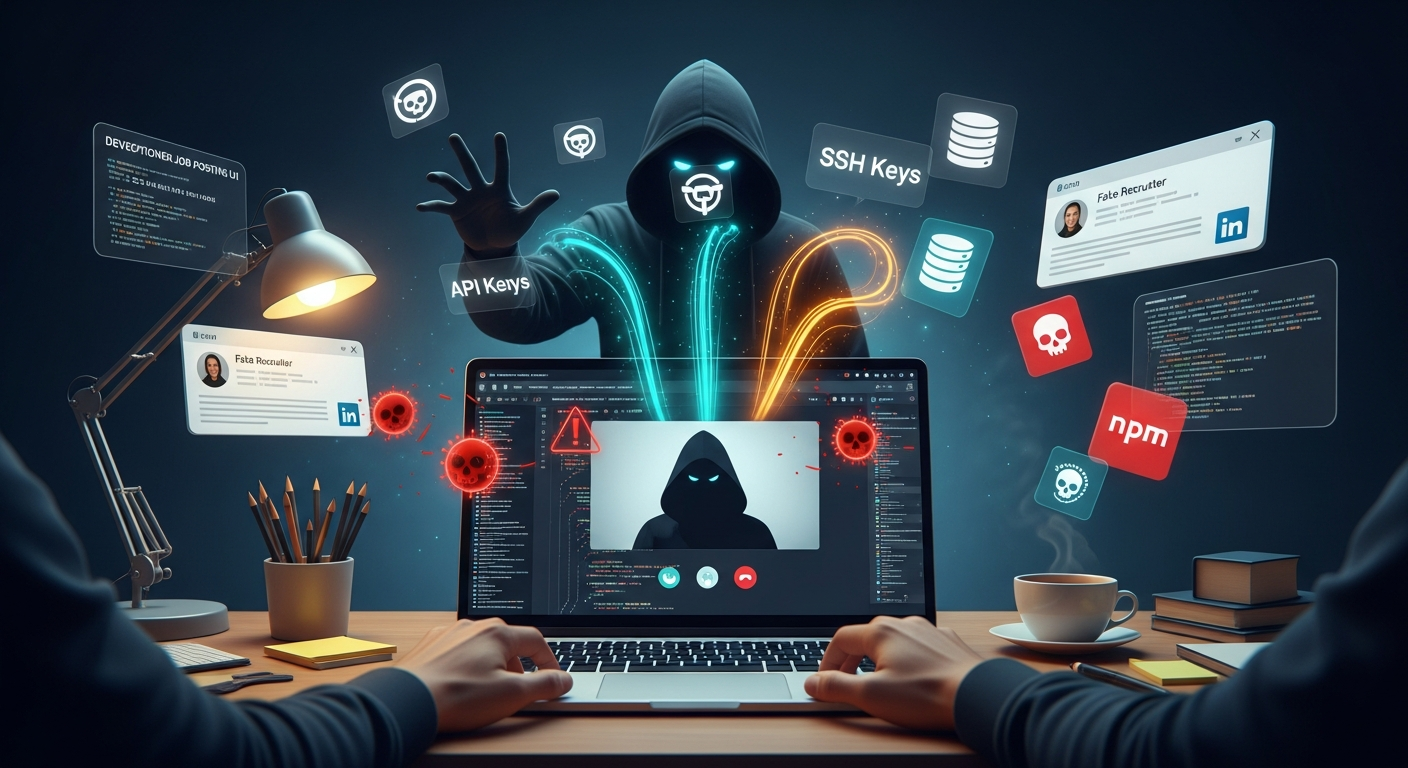
The job hunt just got more dangerous. Cybercriminals have found a creative new way to compromise developers: by hiding malware in fake technical interview repositories. If you're a Next.js developer looking for work, your next "coding challenge" might be secretly installing backdoors on your machine.
Microsoft's security researchers discovered a campaign specifically targeting job-seeking Next.js developers with malicious GitHub repositories disguised as legitimate coding assessments. The attack is sophisticated, leveraging developers' normal workflows to execute secret-stealing malware without raising immediate suspicion.
The Fake Interview Scam: How It Works
The attack follows a familiar social engineering pattern that's becoming increasingly common in developer communities. Here's the step-by-step breakdown:
Step 1: The Setup
Threat actors pose as recruiters or hiring managers from legitimate-seeming companies. They reach out to developers—often through LinkedIn, GitHub, or developer-focused job boards—with what appears to be a genuine job opportunity.
Step 2: The Technical Assessment
As part of the "interview process," candidates are asked to complete a coding challenge. They're directed to clone a GitHub repository containing what looks like a standard Next.js project with a technical problem to solve.
Step 3: The Infection
This is where things go sideways. The malicious repositories use multiple techniques to execute code on the developer's machine, all designed to trigger during normal development workflows:
- Visual Studio Code workspace automation that loads malicious files as soon as the developer opens and trusts the project
- Modified npm scripts that execute during routine commands like
npm run dev - Trojanized assets or libraries that run when the development server starts
- Poisoned backend modules that execute during server initialization
All paths lead to the same outcome: in-memory execution of a JavaScript loader that retrieves additional payloads from attacker-controlled infrastructure—specifically from Vercel in the observed cases—and executes them using Node.js.
Step 4: Command and Control
Once the initial loader runs, it:
- Registers the compromised device with the attacker's command-and-control (C2) server
- Begins beaconing for instructions
- Downloads and executes additional JavaScript tasks in memory to reduce on-disk artifacts
- Uses rotating identifiers to evade detection by security tools
Step 5: Data Exfiltration
This is where it gets really bad. On a developer machine, the potential for damage is massive. The malware can steal:
- Source code from private repositories
- API keys and secrets stored in environment files or keychains
- SSH keys for accessing production servers
- Cloud provider credentials (AWS, GCP, Azure)
- Database connection strings
- OAuth tokens for accessing company systems
- Personal data including passwords and browsing history
Why Developers Make Perfect Targets
This attack demonstrates a sophisticated understanding of both developer workflows and the broader cybersecurity landscape. Here's why developers are such attractive targets:
1. High-Value Access
Developers often have elevated privileges and access to critical systems. A compromised developer workstation can provide:
- Access to production environments
- Ability to inject malicious code into software supply chains
- Credentials for cloud infrastructure and CI/CD pipelines
- Intellectual property and proprietary source code
2. Complex Toolchains
Developer environments are inherently complex, with dozens of tools, scripts, and automated processes running constantly. This complexity makes it easier for malicious activity to blend in with normal operations.
3. Trust in the Ecosystem
Developers are accustomed to cloning repositories, running npm install, and executing code from unknown sources as part of their daily workflow. The entire modern development ecosystem is built on trust—npm packages, GitHub repositories, Docker images—and this attack weaponizes that trust.
4. Job Market Pressure
Developers looking for jobs are motivated to complete technical assessments quickly and thoroughly. The pressure to perform well during an interview process can override normal security instincts.
Red Flags: How to Spot Malicious Interview Repos
Not every coding challenge is a trap, but here are warning signs that should make you think twice:
Repository Red Flags
- Recently created repositories from accounts with little history
- Repositories with obfuscated or minified code in unusual places
- Unusual dependencies or packages you don't recognize
- Modified core framework files (like altered Next.js internals)
- Suspicious npm scripts that do more than they should
- Workspace settings that auto-run code or disable security features
Interview Process Red Flags
- Pressure to complete the assessment quickly without time to review
- Recruiters who can't or won't provide company details or verification
- Job postings that don't match the company's actual openings (check their careers page)
- Requests to disable security tools or run code with elevated privileges
- Communication only through encrypted channels with no verifiable company email
Code-Level Red Flags
- Base64-encoded strings or encrypted payloads in configuration files
- Unusual network calls in development scripts or configuration
- Modified package.json scripts that download external resources
- Suspicious imports from unusual Node modules
- Webpack or build configurations that inject additional code
Developer Security Best Practices for Job Hunting
Protecting yourself while job hunting requires adding security checkpoints to your interview workflow:
1. Use a Dedicated Interview Environment
- Create a separate VM or container for completing coding assessments
- Never use your work laptop for outside technical interviews
- Consider a fresh install or disposable environment for each assessment
- Use a separate GitHub account with no access to private repositories
2. Review Before Running
- Read the entire codebase before running any commands
- Check package.json carefully for suspicious scripts or dependencies
- Review workspace settings in .vscode or other editor configuration
- Look for obfuscated code or unusual minified files
- Verify all dependencies and check their legitimacy
3. Verify the Company
- Search for the company's official careers page and confirm the position exists
- Look up the recruiter on LinkedIn and verify their employment
- Email from official company domains (not @gmail.com)
- Ask for a video call to verify the recruiter's identity
- Check company reviews on Glassdoor or Blind
4. Network Isolation
- Disconnect from VPNs when running untrusted code
- Use a separate network (not your home or work network)
- Monitor outbound connections with tools like Little Snitch or GlassWire
- Block unknown outbound connections by default
5. Monitor and Detect
- Watch for unusual CPU or network activity after running code
- Check running processes for unfamiliar Node instances
- Review browser extensions and system permissions after assessments
- Scan your system with updated antimalware tools
- Change passwords and rotate credentials if anything seems suspicious
What to Do If You're Compromised
If you suspect you've run malicious code from a fake interview:
- Disconnect from the internet immediately to stop any ongoing exfiltration
- Document everything about the repository, recruiter, and communication
- Scan your system with multiple security tools
- Rotate all credentials stored on or accessible from the compromised machine
- Notify your employer if you used a work device
- Report to GitHub and get the malicious repository taken down
- Share IOCs with the security community to help others avoid the same trap
- Consider a full system wipe and reinstall if sensitive data was exposed
The Broader Implications
This attack represents an evolution in supply chain targeting. Rather than compromising widely-used open source packages (which has become more difficult with improved security scanning), attackers are now going directly after the developers themselves.
Microsoft's researchers note that while it's hard to imagine developers completing interview tasks on corporate machines, the risk remains significant. A compromised personal device can still lead to company breaches through:
- Credential reuse across personal and work accounts
- SSH keys that access production servers
- Cached credentials from VPN sessions
- Code signed with company certificates
- Access to company Slack or email from the same browser
Industry Response Needed
Defenders need to adapt their security posture to treat developer workstations as high-value targets:
- Visibility into unusual Node execution patterns on developer machines
- Monitoring for unexpected outbound connections from development tools
- Behavioral analytics to detect credential harvesting or data exfiltration
- Zero Trust architecture that limits what developers can access from any single machine
- Security training that includes social engineering targeting developers
The Job Hunt Security Mindset
The unfortunate reality is that looking for a job now requires the same security mindset as defending against targeted attacks. Every interaction with a potential employer should be treated as potentially malicious until verified.
This doesn't mean becoming paranoid—most companies are legitimate, and most coding assessments are safe. But it does mean adding basic security hygiene to your job search process:
- Always verify before you trust
- Review code before you run it
- Isolate risky activities from sensitive data
- Recognize that you're a high-value target
The fake job interview scam is a reminder that attackers are constantly adapting their tactics to find new attack surfaces. For developers, the tools and workflows that make us productive also create new vectors for compromise.
Your GitHub profile, your technical skills, and your job search activity all make you visible to attackers. Protect yourself by treating every "opportunity" as a potential threat until you've verified otherwise.
Stay skeptical, stay secure, and remember: a legitimate company will never pressure you to run code without giving you time to review it first. If something feels off about an interview process, trust your instincts and walk away. No job is worth compromising your security or your employer's infrastructure.
Sources:
- Microsoft Security Blog: "C2 Developer Targeting Campaign" (February 24, 2026)
- The Register: "Fake 'interview' repos lure Next.js devs into running secret-stealing malware" (February 25, 2026)